PyPass Manager is a free, offline password manager for Windows. Your vault is encrypted on your own computer, with no account, cloud or subscription. Version 2.0 is a full rebuild: it fixes several security issues, adds a redesigned interface, and adds three features most free password managers don't have: breach detection, a phishing lookalike guard and cryptographic emergency access.
Download v2.0.0 for Windows → Visit the website → View on GitHub →
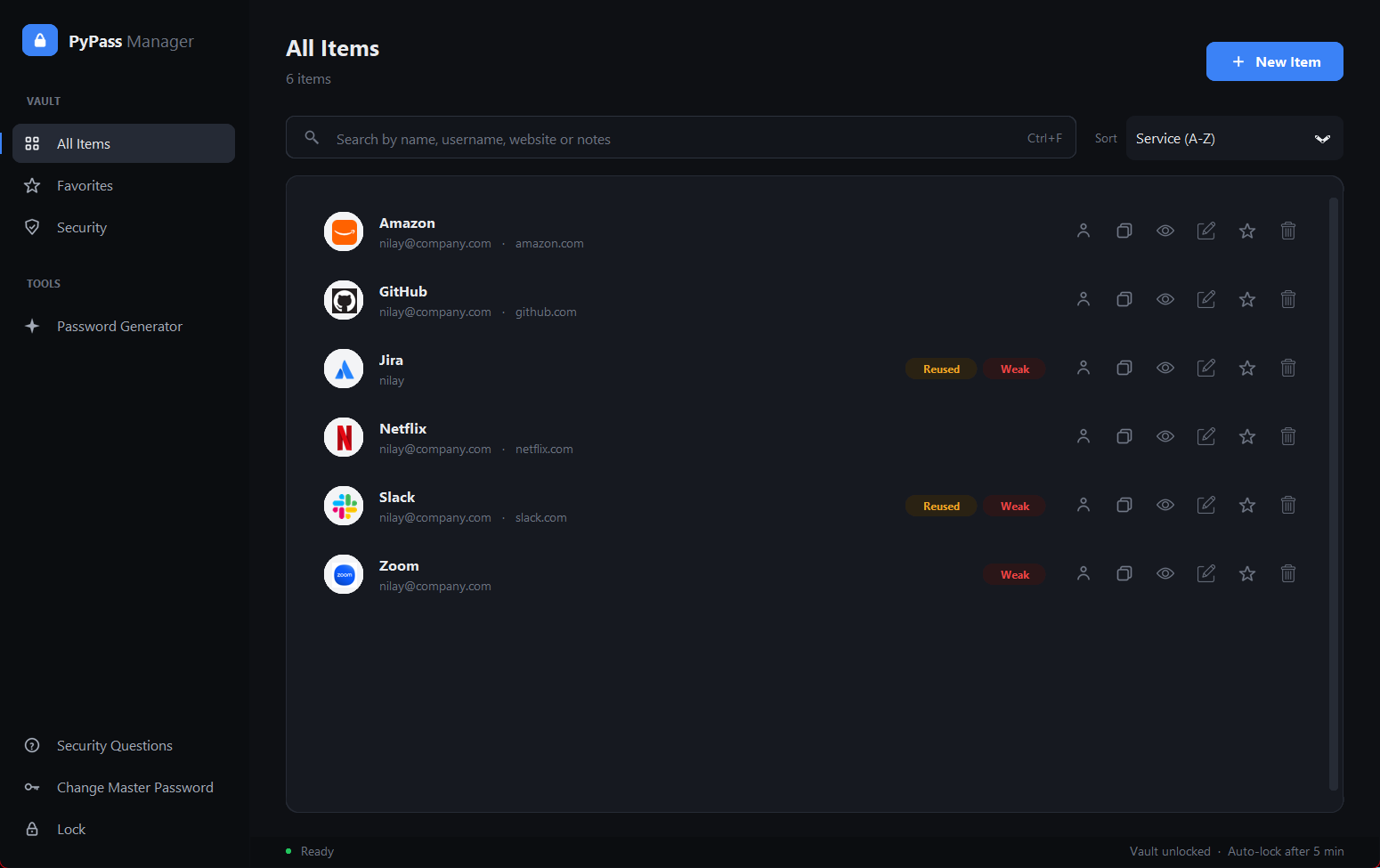
The problem
Cloud-based password managers keep your credentials on someone else's servers, where a server-side breach can expose them. Security tools that avoid the cloud are often hard to use. And even a well-encrypted vault doesn't protect you from the three ways people really lose accounts: leaked passwords, phishing sites and getting locked out.
PyPass Manager keeps everything local and tackles all three.
What's new in v2.0
Breach check (Have I Been Pwned)
Checks every password against more than 900 million passwords exposed in real breaches, using the Pwned Passwords k-anonymity API. Only the first 5 characters of each password's SHA-1 hash leave your computer. The password and its full hash are never sent, and the check runs only when you click the button.
Phishing lookalike guard
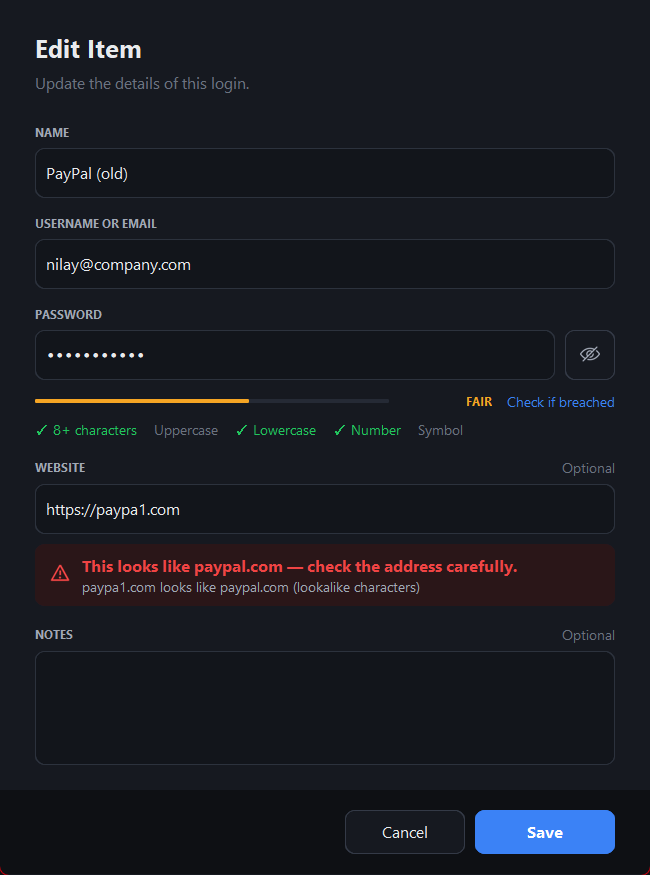
An offline detector warns you when a saved website imitates a real one. It catches:
- lookalike characters:
paypa1.com,rnicrosoft.com,faceb00k.com - Unicode homographs: a Cyrillic
аinsidepаypal.com - typosquats such as
gooogle.com, and TLD swaps such aspaypal.co - brand-in-subdomain tricks (
paypal.secure-login.com) and combosquats (paypal-verify.com) - near-copies of other sites already saved in your vault
Emergency access (Shamir's Secret Sharing)
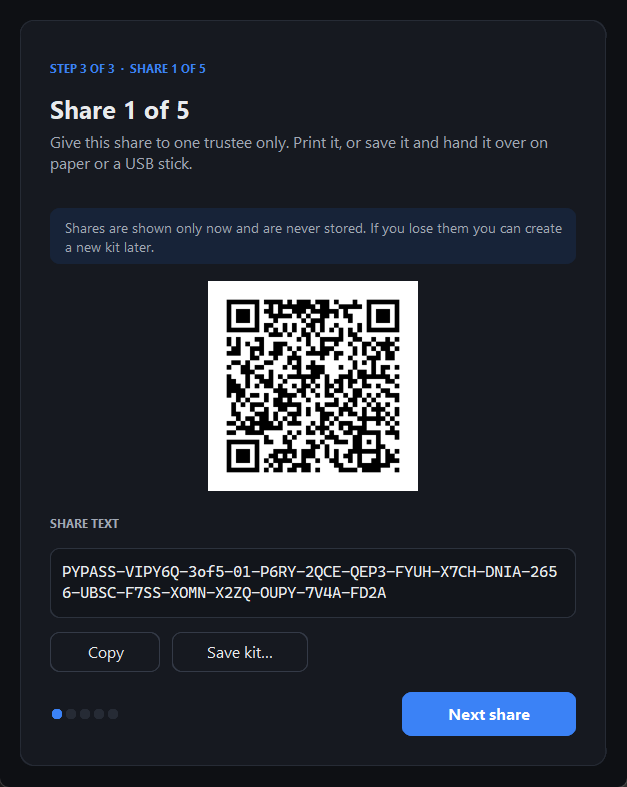
Choose N trusted people and a threshold K, for example 3 of 5. The app splits a recovery secret into N shares using Shamir's Secret Sharing over GF(256) and gives each person a QR code and a printable kit. Any K of them together can unlock the vault; fewer than K learn nothing. The app never stores the shares, and recovery starts from the login screen with "Use emergency kit".
Security dashboard
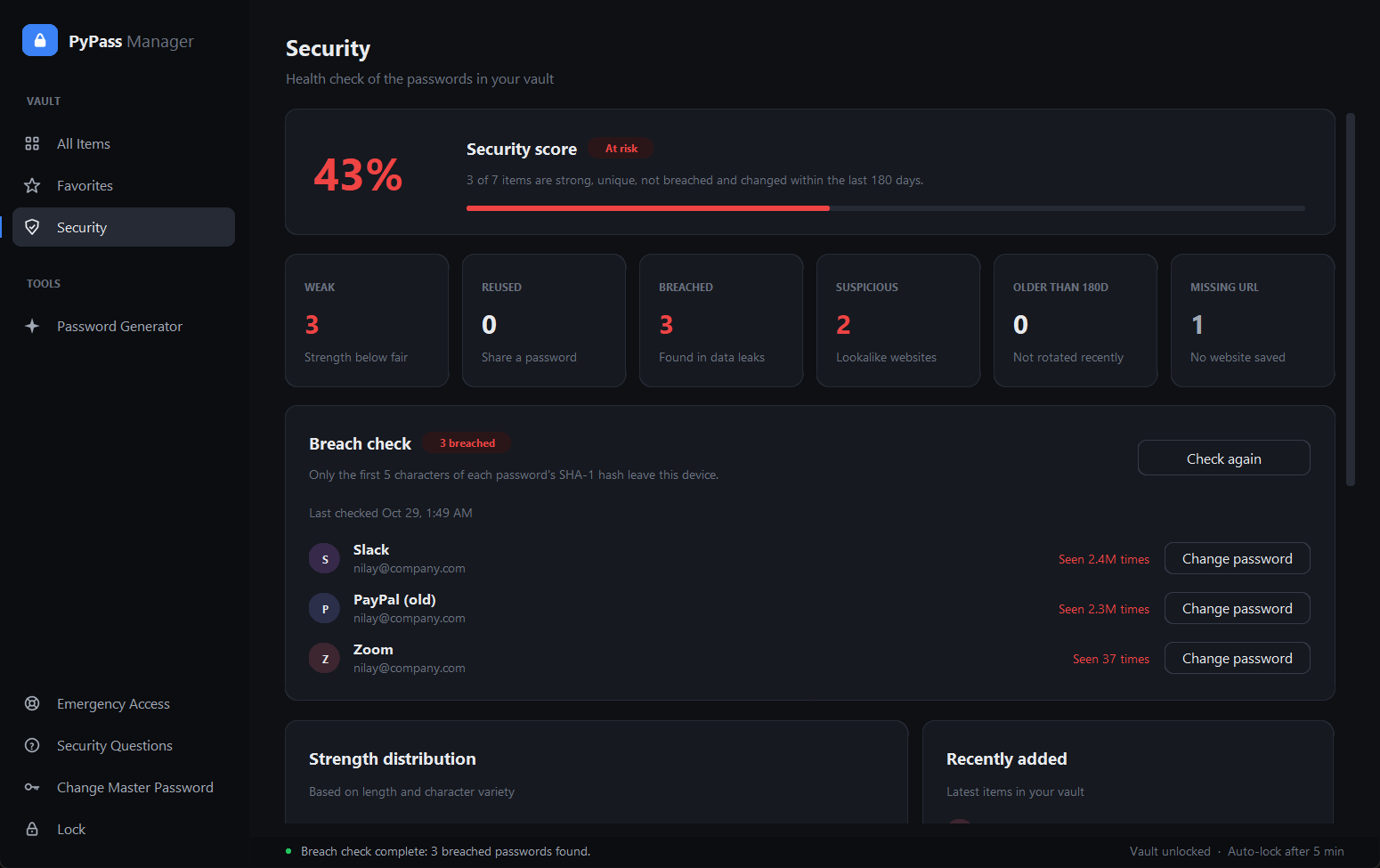
A single security score shows the share of items that are strong, unique, not breached and changed in the last 180 days. It also counts weak, reused, breached, suspicious, old and missing-URL items, with one-click recommendations.
Everyday features
- Auto-lock after 5 minutes of inactivity. The window is hidden and the key and decrypted data are wiped from memory.
- Clipboard auto-clear after 15 seconds, but only if the clipboard still holds what the app copied.
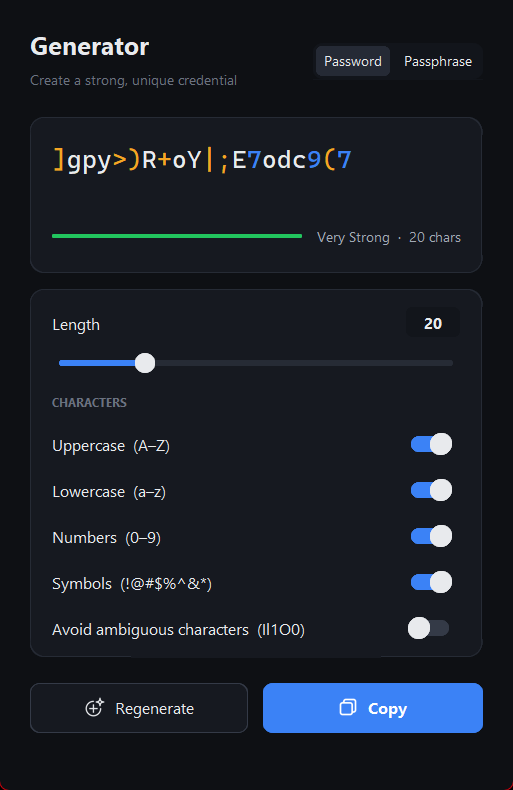
- Password generator with lengths from 8 to 64, an "avoid ambiguous characters" option and a passphrase mode. All randomness comes from Python's
secretsmodule. - Website logos for every item, matched from the service name if no URL is saved ("Amazon" → amazon.com) and cached on disk.
- Search across names, usernames, websites and encrypted notes, with sorting and favorites.
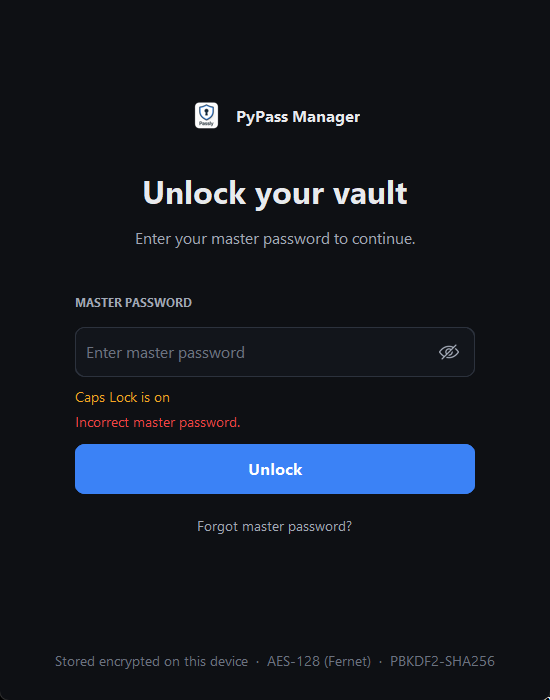
- Brute-force lockout: 5 free attempts, then a 30-second lockout that doubles up to 15 minutes and survives restarts.
| Login | Generator |
|---|---|
 |  |
Security architecture
v2.0 replaces the old "key derived straight from the master password" design with a wrapped vault key. One random vault key encrypts every password and note. That key is stored three times, each copy wrapped by a different route:
master password ──PBKDF2──► key-encryption key ──unwraps──┐
security answers ─PBKDF2──► recovery key ─────unwraps──┤
K-of-N Shamir shares ──────► emergency key ───unwraps──┼──► vault key ──Fernet──► passwords & notes
Because only the wrapper changes, you can change or recover your master password without re-encrypting or losing any data. In v1, a password reset meant losing every saved credential.
- Key derivation: PBKDF2-SHA256 with 480,000 iterations and a random salt.
- Encryption: Fernet (AES-128-CBC + HMAC-SHA256), so a tampered vault file is detected and refused.
- Verification: the master password is checked against a separate PBKDF2 hash, never stored itself.
- Minimal network use: only website logos (domain only, and it can be switched off) and the on-demand breach check (a 5-character hash prefix) go online.
Engineering & quality
- Security fixes: no plaintext kept in memory, notes now encrypted,
secrets-based generators, masked password prompts, and a fixedcompare_digestbug that had broken security-question recovery. - Graphite design system: a redesigned CustomTkinter UI built on a shared theme and widgets module.
- 120+ pytest tests covering vault cryptography, migrations, lockout, Shamir sharing, emergency recovery, the breach check (network mocked) and phishing detection.
- CI/CD with GitHub Actions: every push runs the tests; pushing a version tag builds the app with PyInstaller, compiles an Inno Setup installer and publishes a GitHub Release automatically.
Tech stack
Python 3.11+ CustomTkinter Cryptography (Fernet) SQLite Have I Been Pwned API Shamir's Secret Sharing pytest PyInstaller Inno Setup GitHub Actions
The website
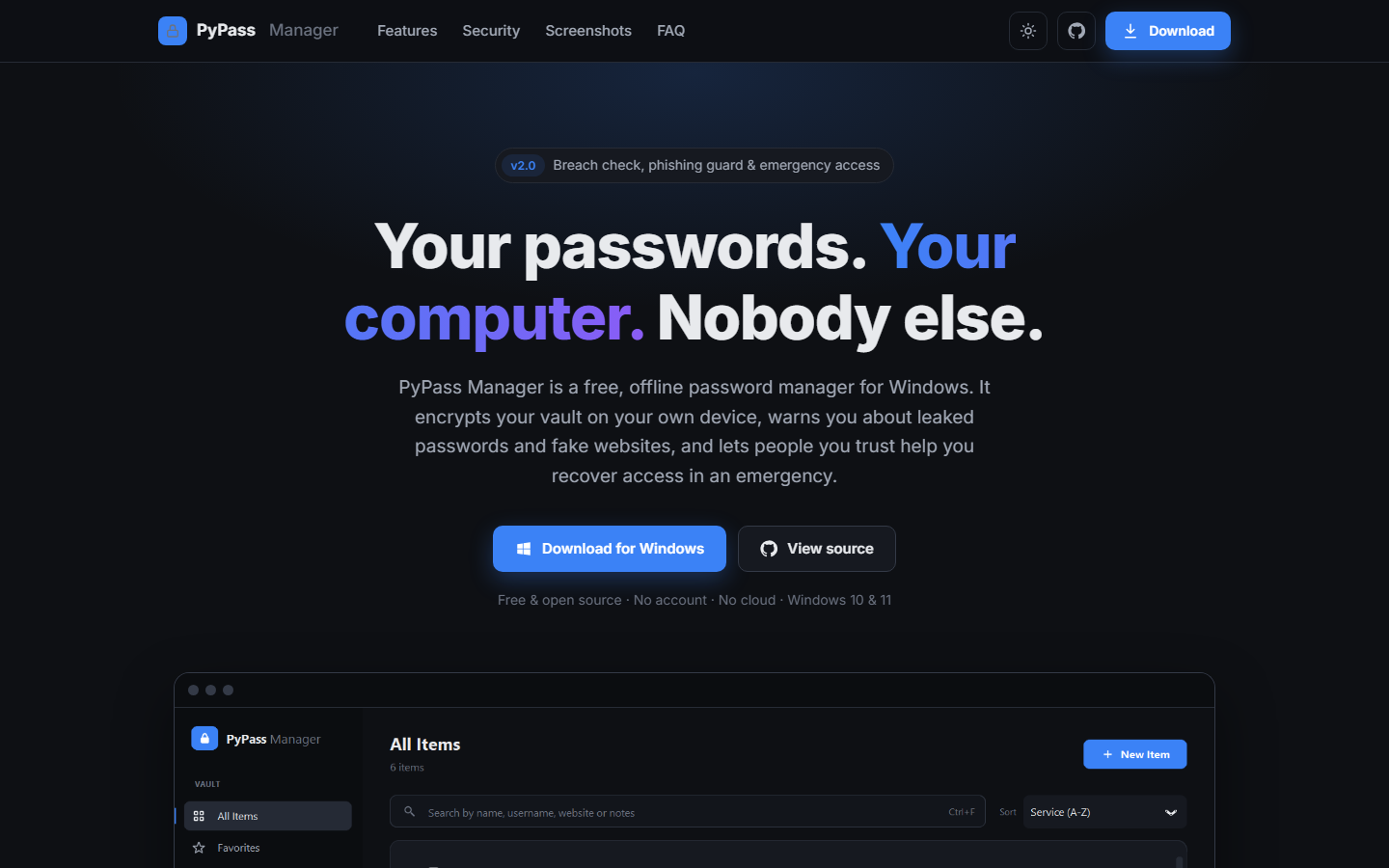
PyPass Manager now has its own landing page on GitHub Pages, redesigned for v2.0 with a feature tour, security explainer, screenshots, download steps and an FAQ.
What's next
- Import and export (Chrome, Bitwarden, 1Password CSV) and encrypted backups
- TOTP (2FA) codes
- Argon2id key derivation
- Windows Hello unlock
Install
Download PyPass-Manager-Setup-2.0.0.exe from the Releases page and run it. Your vault is stored in %USERPROFILE%\.pypass_manager and is kept when you upgrade or uninstall.
Or run it from source (Python 3.11+):
git clone https://github.com/AmiNilay/PyPass-Manager.git
cd PyPass-Manager
python -m venv .venv
.venv\Scripts\activate
pip install -r requirements.txt
python main.py
Case Study
PBKDF2-SHA256 rounds
480,000
Slows brute-force key derivation
Leaked passwords checked
900M+
Have I Been Pwned, k-anonymity
Automated tests
120+
Crypto, migrations, Shamir, phishing, breach check
Clipboard auto-clear
15 s
Only if the clipboard still holds the copied item
Problem
Cloud-based password managers keep credentials on third-party servers, where a server-side breach can expose them, while security-focused offline alternatives are often hard to use. A vault alone also doesn't protect people from the three ways they really lose accounts: leaked passwords, phishing sites and getting locked out. I wanted a free, local-first Windows vault that handles all three without sacrificing everyday usability.
Approach
- Kept all data local: no account, cloud or sync service; the vault lives in the user's Windows profile
- Encrypted every password and note with one random vault key (Fernet: AES-128-CBC + HMAC-SHA256), stored three times, each wrapped by a different route: master password, security answers and emergency shares
- Derived wrapping keys with PBKDF2-SHA256 at 480,000 iterations, so the master password can be changed or recovered without re-encrypting or losing data
- Added a persistent brute-force lockout with exponential backoff, auto-lock after 5 minutes and memory wiping while locked
- Built a breach check on Have I Been Pwned's k-anonymity API (only a 5-character SHA-1 prefix leaves the PC, on demand)
- Wrote an offline phishing lookalike guard for homographs, typosquats, combosquats, subdomain tricks and TLD swaps
- Implemented emergency access with Shamir's Secret Sharing over GF(256): K-of-N trustees get QR codes and printable kits
- Redesigned the CustomTkinter UI on a shared Graphite design system, with a security score dashboard, website logos and a passphrase generator
- Automated testing and releases with pytest and GitHub Actions (PyInstaller app + Inno Setup installer)
Results
- Released v2.0.0 (28 October 2026) as a no-admin Windows installer and a portable zip, with automatic migration of v1 vaults
- Master password changes and recovery no longer lose data, removing v1's biggest trade-off
- 120+ pytest tests run on every push; tagged releases are built and published automatically by GitHub Actions
- Launched a redesigned project website on GitHub Pages