How I Built My Portfolio: A Headless CMS, a Free AI Assistant and Lessons in Speed
A Next.js portfolio with its own CMS, a free AI assistant that never invents facts, recruiter tools, and what I learned making it fast.
 Nilay Naha
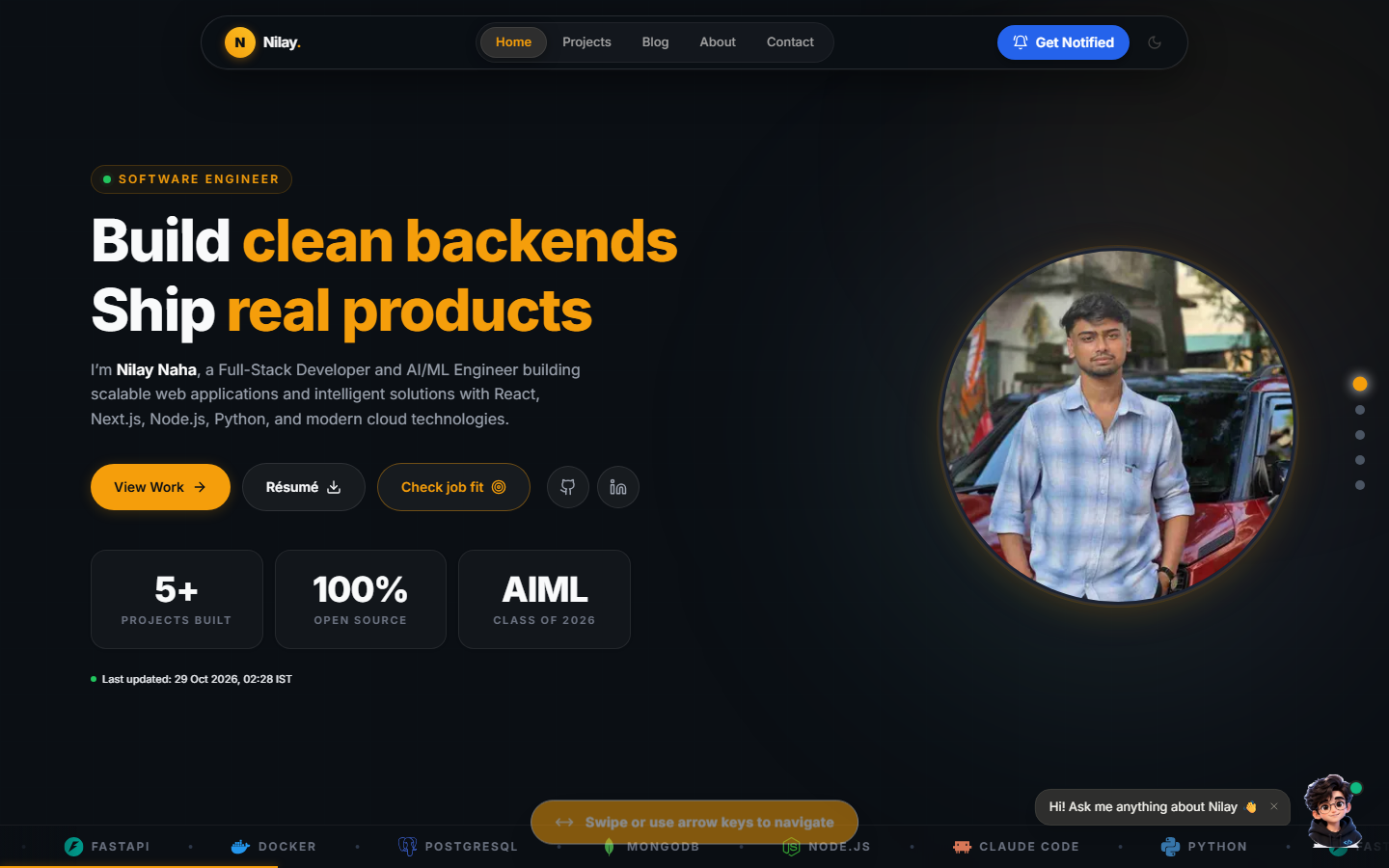
Most developer portfolios are a static page with a few project cards. I wanted mine to work like a small product: a site I can update from my phone, that answers recruiters' questions on its own, and that costs me ₹0 a month to run. This is how I built it, what's inside, and what I learned along the way.
Next.js TypeScript MongoDB Headless CMS Web Performance
Why I built my own instead of using a template
Templates are fast to start with, but every content change means editing code and redeploying. I wanted three things a template couldn't give me:
- Edit everything without touching code: projects, blog posts, my bio, experience, testimonials and even the home page headline.
- Help recruiters fast: let them ask a question, check a job fit, or grab a résumé in one click.
- Stay free: no paid hosting, no paid storage, no paid AI API.
The tech stack
| Layer | What I used | Why |
|---|---|---|
| Framework | Next.js 14 (App Router) | Server rendering, ISR and API routes in one project |
| Language | TypeScript (strict mode) | Catches mistakes before they reach production |
| Styling | Tailwind CSS + Framer Motion | Fast to build, smooth animations, light and dark themes |
| Database | MongoDB Atlas + Mongoose | Free tier, flexible schemas for content |
| Hosting | Vercel | Free deploys on every push |
| Media | GitHub assets repo + Google Drive | Free image and video hosting |
A custom headless CMS
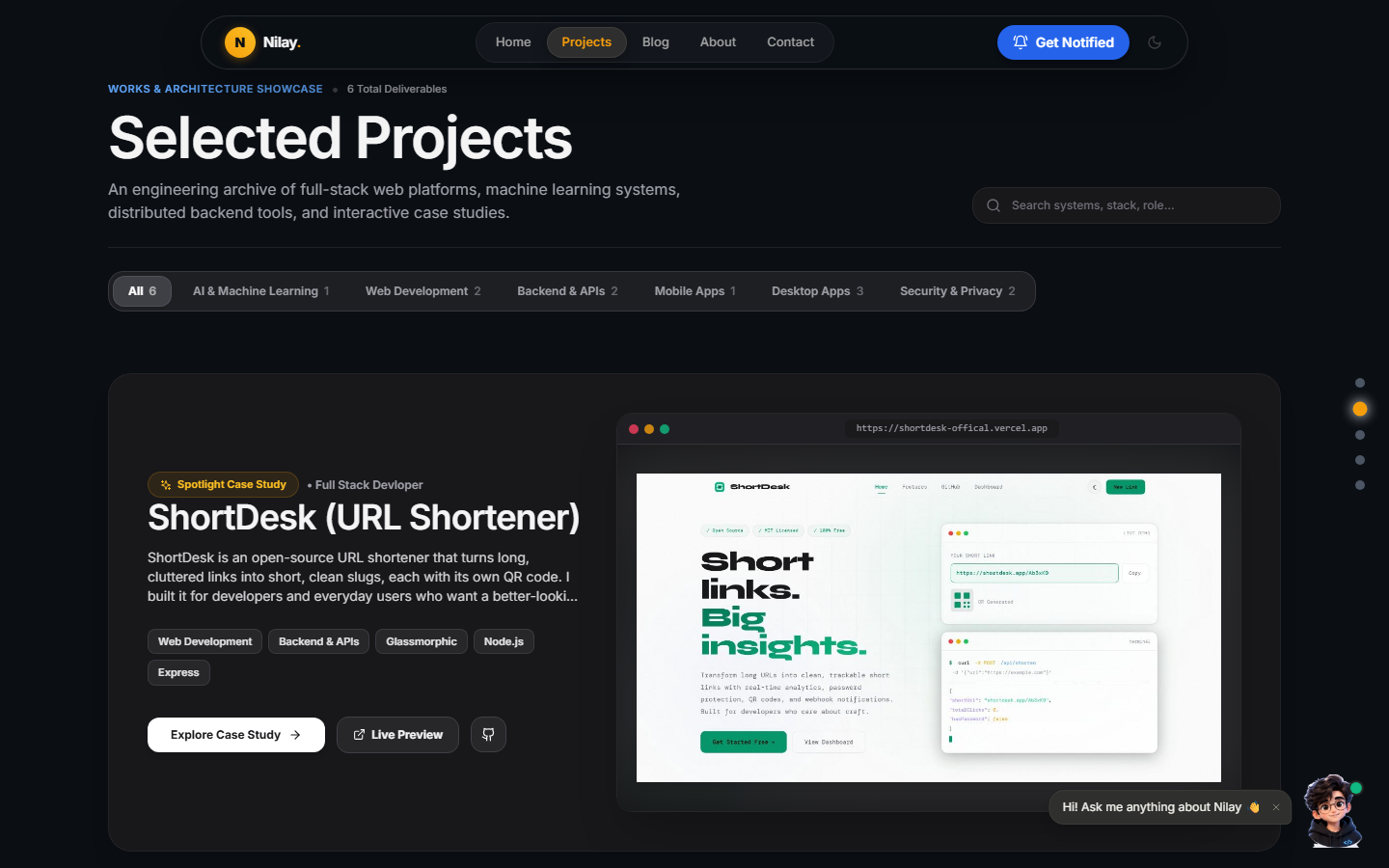
Behind /admin there's a full content management panel I built myself. From there I can create and edit projects (with case-study fields like problem, approach, results and metrics), blog posts, the About page, testimonials, the home hero, and the chatbot's curated answers.
A few details I'm proud of:
- Drafts are never public. A post stays hidden until I publish it. Even when I'm logged in, the public site shows exactly what visitors see.
- Rich content without uploads. Posts support Markdown, KaTeX math, code highlighting, design classes like callouts and stat cards, and Google Drive images, GIFs and videos. I paste a Drive link and the site turns it into a working embed.
- Changes go live instantly. Every save clears the cached pages and data, so I never wait for a rebuild.
An AI assistant that costs nothing
The chatbot in the corner answers questions about my projects, experience, skills and education. It does not call ChatGPT or any paid model.
Instead, it's a small answer engine I wrote:
- It reads my live CMS content, so its answers update the moment I edit something.
- It ranks content with BM25 full-text search plus intent detection ("what projects…", "does he know…", "tell me about him").
- It never invents facts. If something isn't on my portfolio, it says so honestly and points to the contact page.
It also has voice input, read-aloud answers, nine languages, and Claude-style loading words ("Pondering…", "Rummaging through projects…") while it thinks. Ask it for my résumé and you get it instantly.
Built for recruiters
I added tools for the people who actually read portfolios:
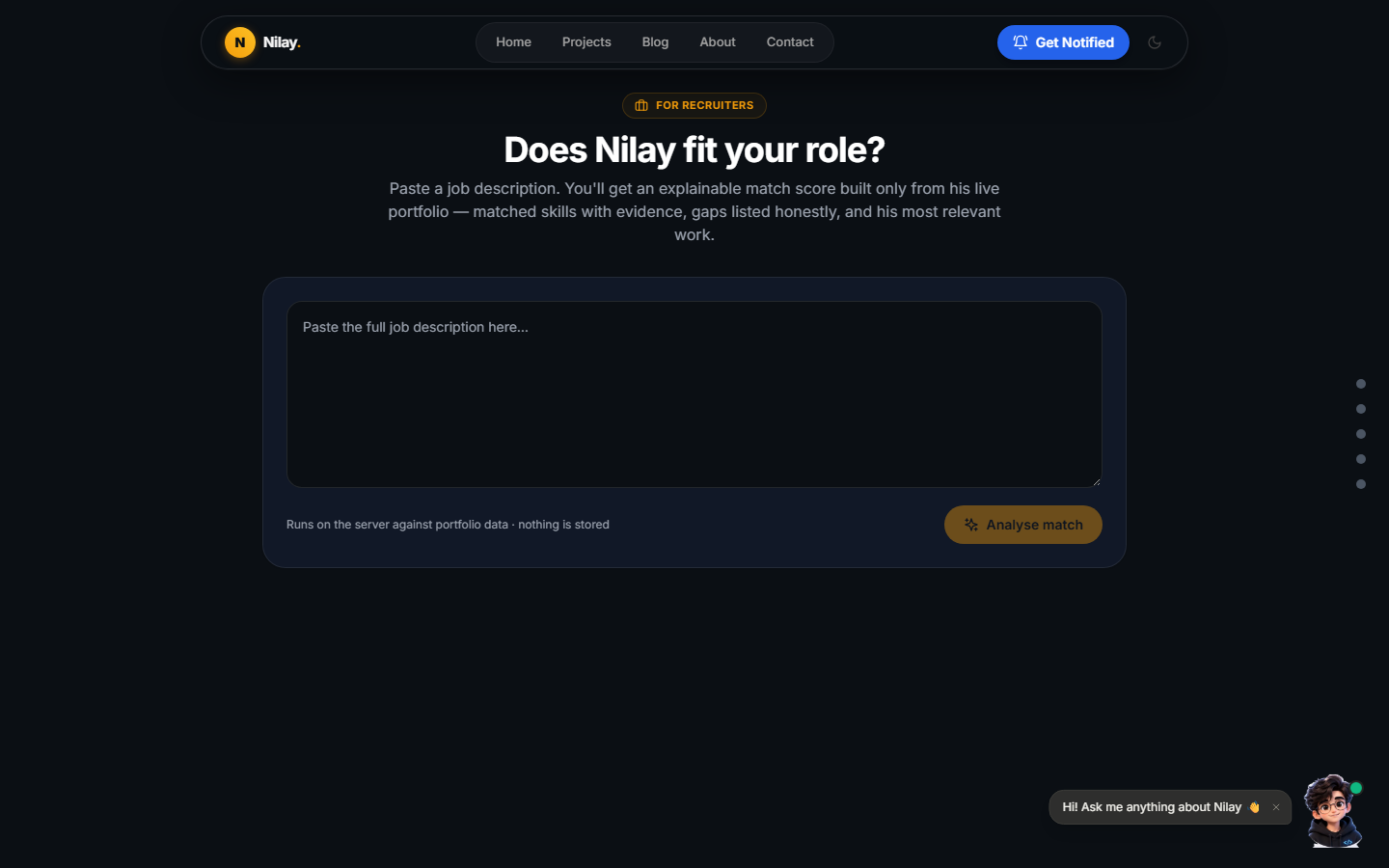
- Job match (
/match): paste a job description and get a match score with evidence from my projects and skills. - Tailored résumé (
/resume/tailored): a one-page résumé generated from my live portfolio data, reordered for a specific role. - Command palette: press Ctrl + K to search every page, project and post.
- Book a call and Get notified push notifications for new posts and projects.
Discoverable by search engines and AI
More people now find developers through AI assistants, not just Google. So the site exposes its content in machine-readable ways:
- JSON-LD structured data, a sitemap and
robots.txtrules for AI crawlers. - An
llms.txtfile summarising who I am for language models. - A public read-only MCP server, so AI agents can query my projects and skills directly.
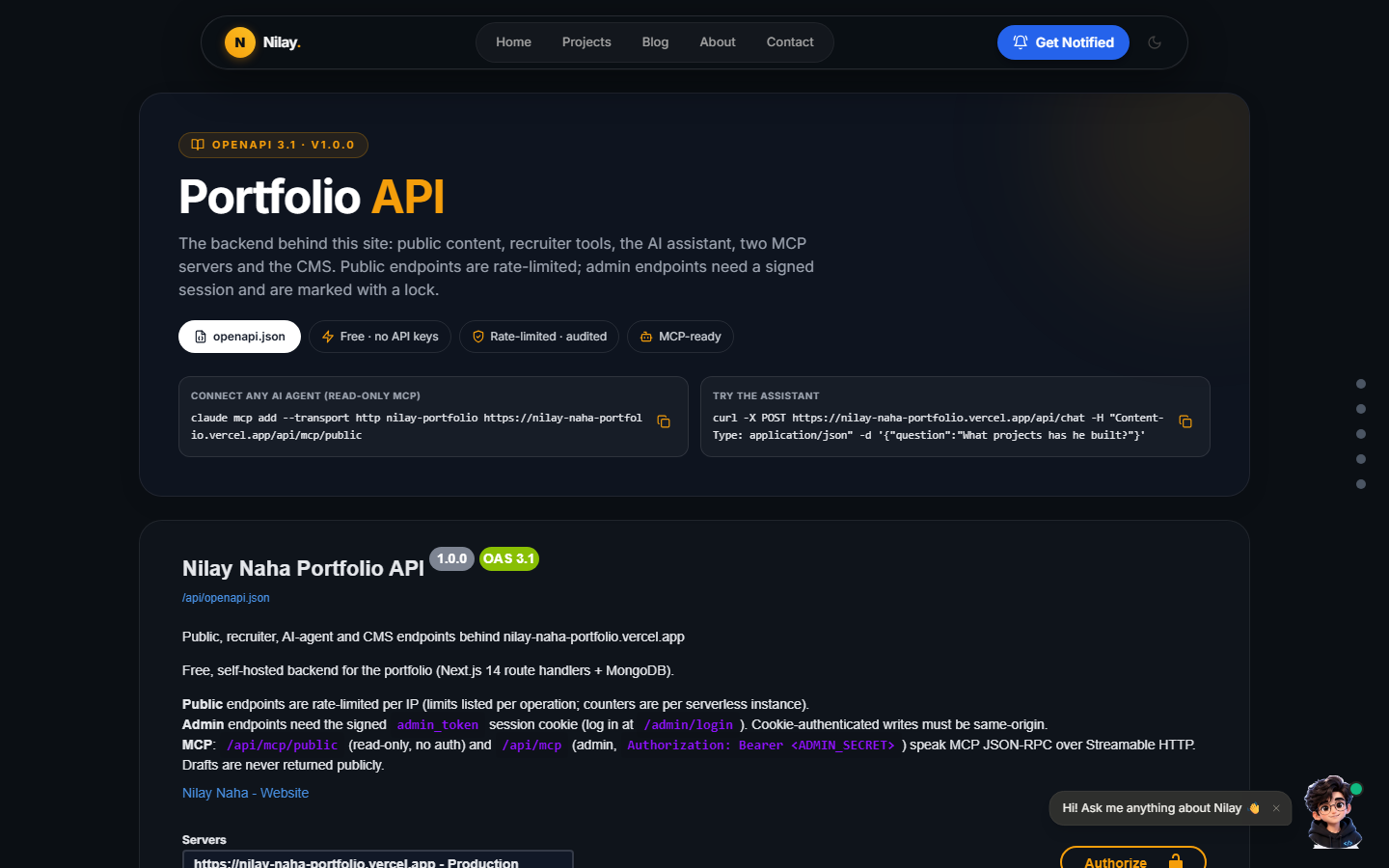
- OpenAPI docs for every API route at
/api-docs.
Security I didn't skip
A personal site still has an admin panel, so I treated it seriously:
- Admin sessions use signed, expiring cookies. No secret is ever stored in the browser.
- Logins are throttled: after 5 failed attempts you wait 15 minutes.
- Every public endpoint is rate-limited, and inputs are sanitised against NoSQL injection.
- Security headers and a Content Security Policy restrict what the page can load.
- Every admin change is written to an audit log.
Making it fast: lessons from this week
This is the part that taught me the most. Visitors told me the site felt slow, so I dug in.
- Problem 1: every visit hit the database. The public APIs were set to never cache, so each new visitor waited on a MongoDB query. I moved them to Next.js's server data cache, tagged so any CMS save clears them instantly.
- Problem 2: lists carried full articles. The blog list sent the complete text of every post just to show cards. Now it sends only what the cards need.
- Problem 3: 3D on every page. I had a 3D chatbot mascot (three.js plus a 266 KB model) that loaded on every page. On phones it was worse: each mascot opened its own WebGL context, and mobile browsers silently kill the oldest ones, which showed as broken images.
- The fix: I removed the 3D mascot completely and replaced it with a single 15 KB image. The remaining WebGL effect, a cursor trail, now loads only after the page is idle and never on touch devices.
Other things that make it feel like an app
- Installable PWA that works like an app on your phone.
- Swipe navigation between pages on mobile, tuned so vertical scrolling never triggers it by accident.
- Reload memory: refresh and you land back where you were.
- User-flow analytics I can read in the admin panel, without a third-party tracker.
- A chat window that's full-screen on phones and floats on tablets, laptops and TVs.
Key takeaways
- Build the CMS early. Being able to edit from my phone means I actually keep the site up to date.
- Free can be good. MongoDB's free tier, Vercel, GitHub and Google Drive cover everything a portfolio needs.
- You don't always need an LLM. Good search over real content gives honest answers for free.
- Cache first, decorate later. Most slowness came from uncached data and heavy visuals, not from the framework.
- Test on a real phone. Two of the bugs I fixed this week only appeared on mobile.
The portfolio keeps evolving, and this post was itself published through its own admin tools. If you'd like to see how any part works, ask the chatbot or get in touch through the contact page.