Building a High-Performance Face Recognition System: A Deep Dive into Real-Time Biometrics
A real-time Python biometric system using OpenCV, Dlib, and 128D embeddings. Features multi-threading, SQLite logs, and a Tkinter GUI for GPU-free face ID.
 Nilay Naha
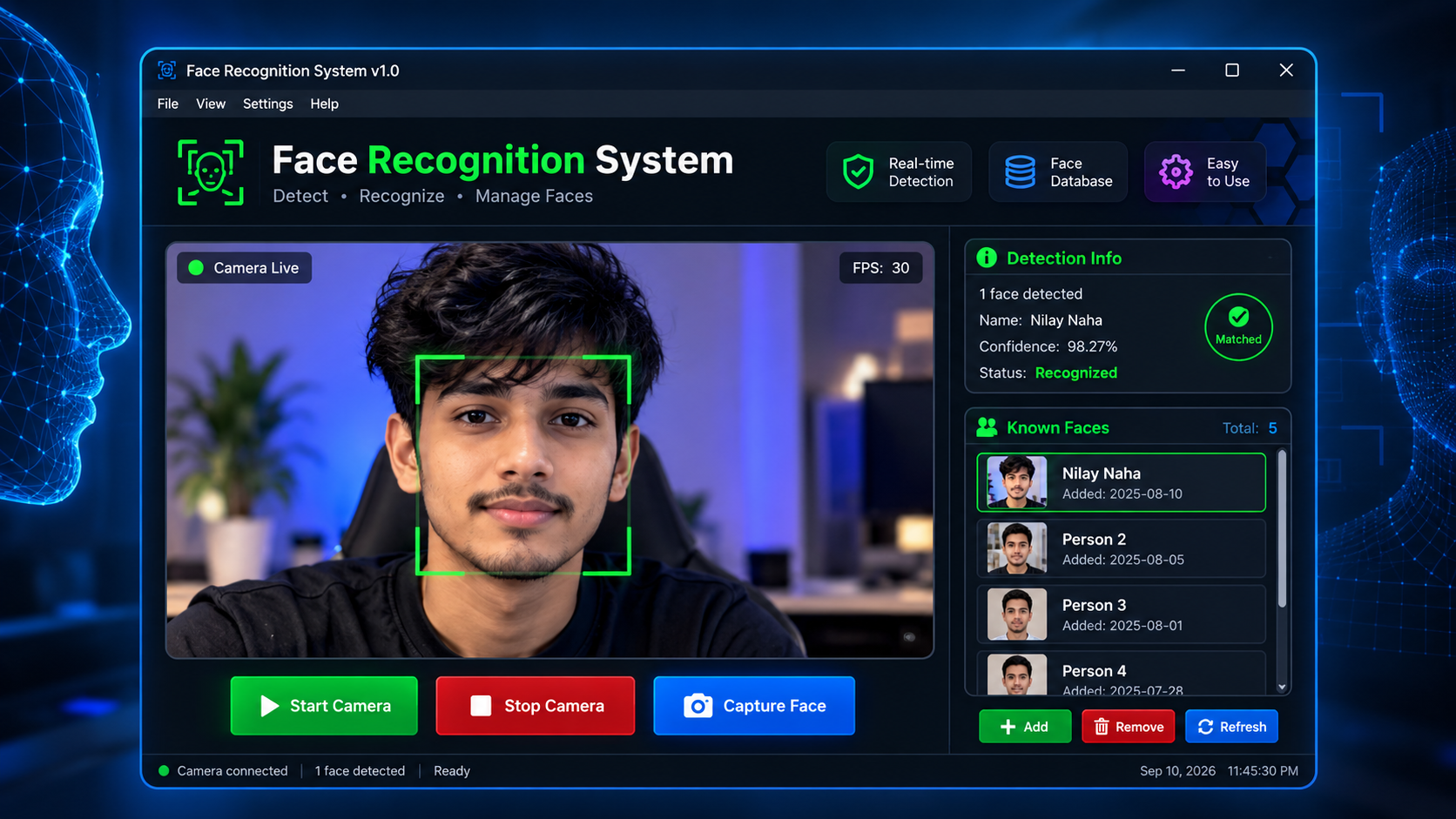
Building a face recognition script is a rite of passage in computer vision. Turning it into a production-ready desktop application is harder: you have to solve latency, accuracy and data persistence at the same time.
Python Computer Vision OpenCV Dlib SQLite
Why I built it
I built this system in my final year of CSE-AIML at Siliguri Institute of Technology. It's a modular, real-time biometric identification system designed for high-FPS environments. Here's how I built it and the engineering choices I made along the way.
The stack: why these tools?
An AI application is only as good as its stack. I chose a hybrid approach to balance speed and accuracy:
- Dlib & face_recognition: I used 128-D face embeddings instead of older methods like Haar Cascades. This gives deep-learning precision while staying efficient on a standard CPU.
- OpenCV: the backbone for real-time video stream handling and frame pre-processing.
- SQLite3: a lightweight, serverless, persistent database for logging identification events, without the overhead of a heavy SQL server.
- Tkinter (dark mode): a professional, distraction-free interface for security personnel.
Engineering challenges and solutions
1. Solving the latency bottleneck
Real-time video processing is resource-hungry. Running a deep learning model on every frame usually makes the video lag. To keep the FPS high, I used two techniques:
- Multi-frame skipping: the system detects and identifies faces every Nth frame and uses lighter tracking algorithms in between.
- Threading: the inference engine runs on a separate thread, so the GUI stays responsive. No more "Not Responding" windows, which are common in heavy Tkinter apps.
2. Fast detection with HOG
For face detection I used Histogram of Oriented Gradients (HOG). Compared with CNN-based detection, HOG hits a sweet spot. It's accurate for frontal and slightly profile faces, and runs much faster on hardware without a dedicated GPU.
3. Visual feedback with confidence logic
Users trust a system they can understand. I built a dynamic confidence logic system that gives real-time visual feedback. A colour-coded overlay shows the model's certainty at a glance:
Green: confirmed match.
Yellow: potential match, flagged for review.
Red: unknown or obscured subject.
Key features at a glance
- Persistent logging: every identification is timestamped and stored in SQLite, ready for attendance tracking or security audits.
- Flexible identity management: add people through a live webcam capture or by uploading existing files, so the system adapts to different environments.
- Modern UX: a clean, responsive dark-mode interface designed for long monitoring sessions.
Reflections
This project taught me that AI is 20% modelling and 80% systems engineering. The real challenge was moving data from the camera to the database while keeping the UI fluid.
What's next
- Anti-spoofing: add liveness detection to stop "photo attacks".
- Cloud integration: move the SQLite logs to a cloud-based dashboard for remote monitoring.
Key takeaways
- 128-D embeddings with Dlib give deep-learning accuracy on a standard CPU.
- Frame skipping plus a separate inference thread keeps both the video and the GUI responsive.
- HOG detection is a practical choice when there's no dedicated GPU.
- Showing confidence levels visually makes the system's decisions easier to trust.
As I wrap up my 8th semester, this project shows what Python's AI ecosystem can do when paired with disciplined software design. If you're interested in the code or want to talk computer vision, feel free to reach out!